Induction tutorials
Staff work through tutorials and tasks, with a record of what they have started and completed.
We built this platform for an out-of-school childcare provider to manage staff onboarding, training tasks and progress across its clubs.
Staff can work through tutorials, upload documents and see what they still need to complete. Managers have their own views for reviewing submissions and following up. More recent work adds practical-session scheduling, probation reviews and supervision records.
Request a demo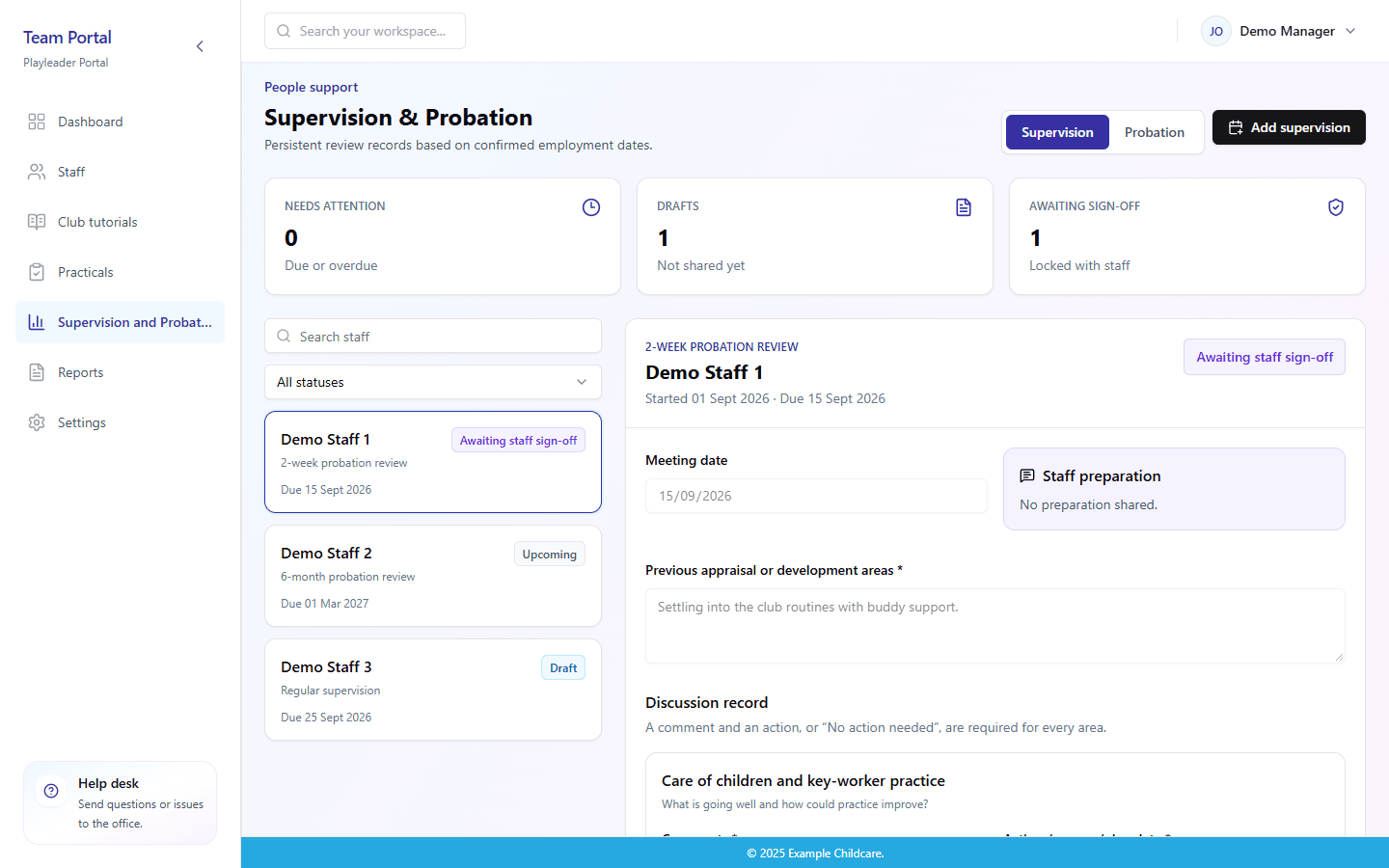
Staff work through tutorials and tasks, with a record of what they have started and completed.
Staff upload the evidence requested for a task. Managers can review it, leave feedback and record approval.
Staff and playleaders can prepare for meetings, record agreed actions and sign shared review records.
Staff can request practical training, and playleaders can organise sessions with a time, place and the people taking part.
Staff can see their assigned tutorials, tasks and outstanding uploads.
Playleaders can review progress and schedule practical training.
Office teams can follow completion and review records across clubs.
Managers can review staff availability and holiday cover.
If you manage similar tasks, we can show you how the platform works and discuss what would need to be different for your setting. That might be the induction content, the review process or how your managers work across sites.
Staff, playleaders and office teams each have a view of the work they need to do, from learning and evidence to reviews and follow-up.
Platform development
Staff can request a practical session. Playleaders see the requests and arrange a time, location and group of participants.
Two-week and six-month reviews are based on each person's employment start date. Managers can see which reviews are upcoming, due or overdue.
Staff can add preparation notes before a meeting. The playleader records the discussion and actions, then shares the record for staff sign-off.
We've designed a preview of a tutorial assistant for creating tutorials from documents and images. Tutorial generation is not connected yet. Club-specific tutorial authoring is also at the prototype stage.
Here are some of the staff and manager views. The screens use demo information, with no real staff records, child information or private club documents.
Sample screen · Demo data
Playleaders can see who is ready to put their learning into practice and arrange a session together.
View full screen
Sample screen · Demo data
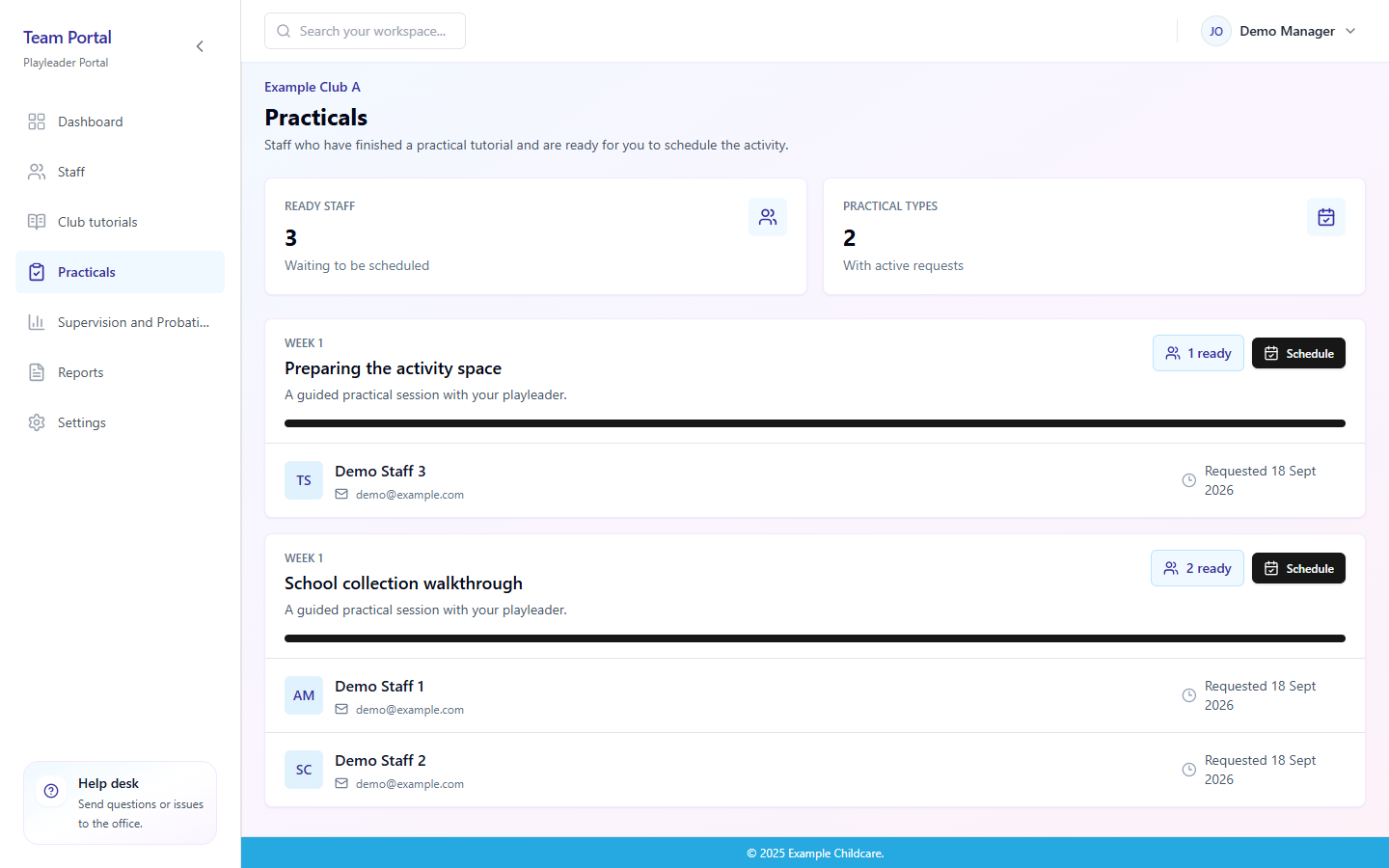
Managers can see which check-ins are coming up, what needs attention and who is ready to sign their review.
View full screen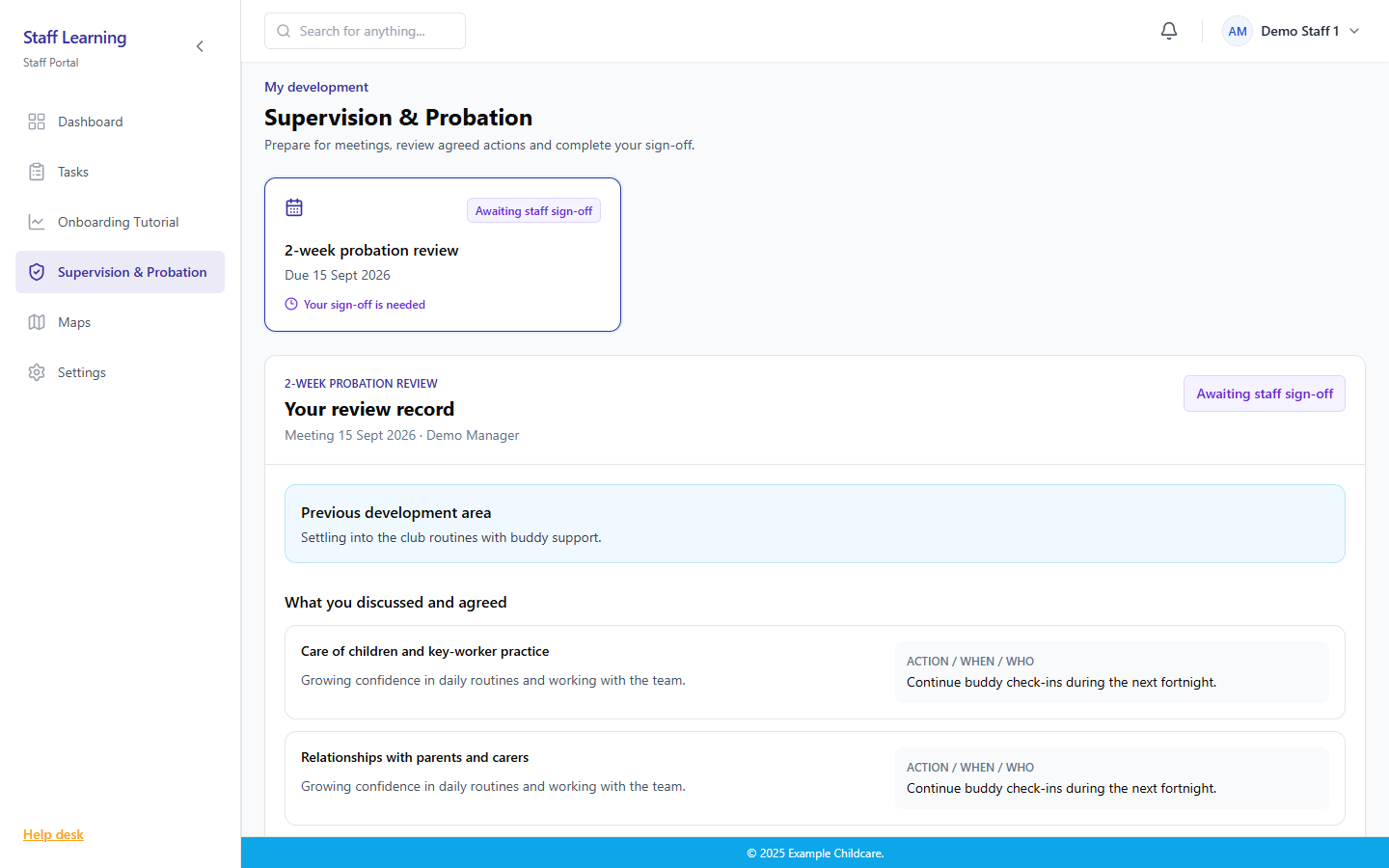
Sample screen · Demo data
Staff can prepare for a meeting, read shared records and complete their sign-off.
View full screen
Sample screen · Demo data
Staff sign in to their own account. This example uses neutral demo branding.
View full screen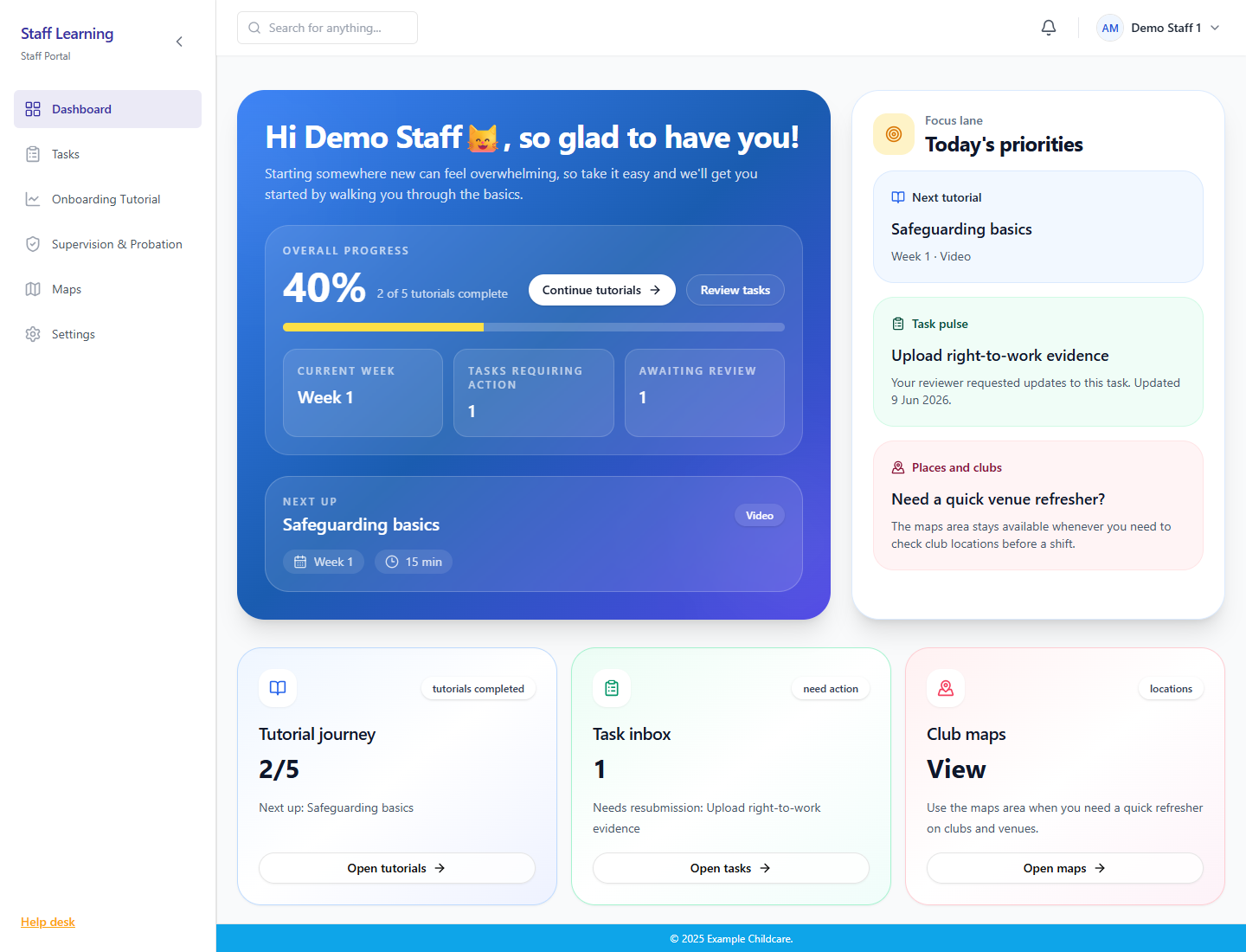
Sample screen · Demo data
New starters can see their progress, next tutorials, assigned tasks and venue guidance.
View full screen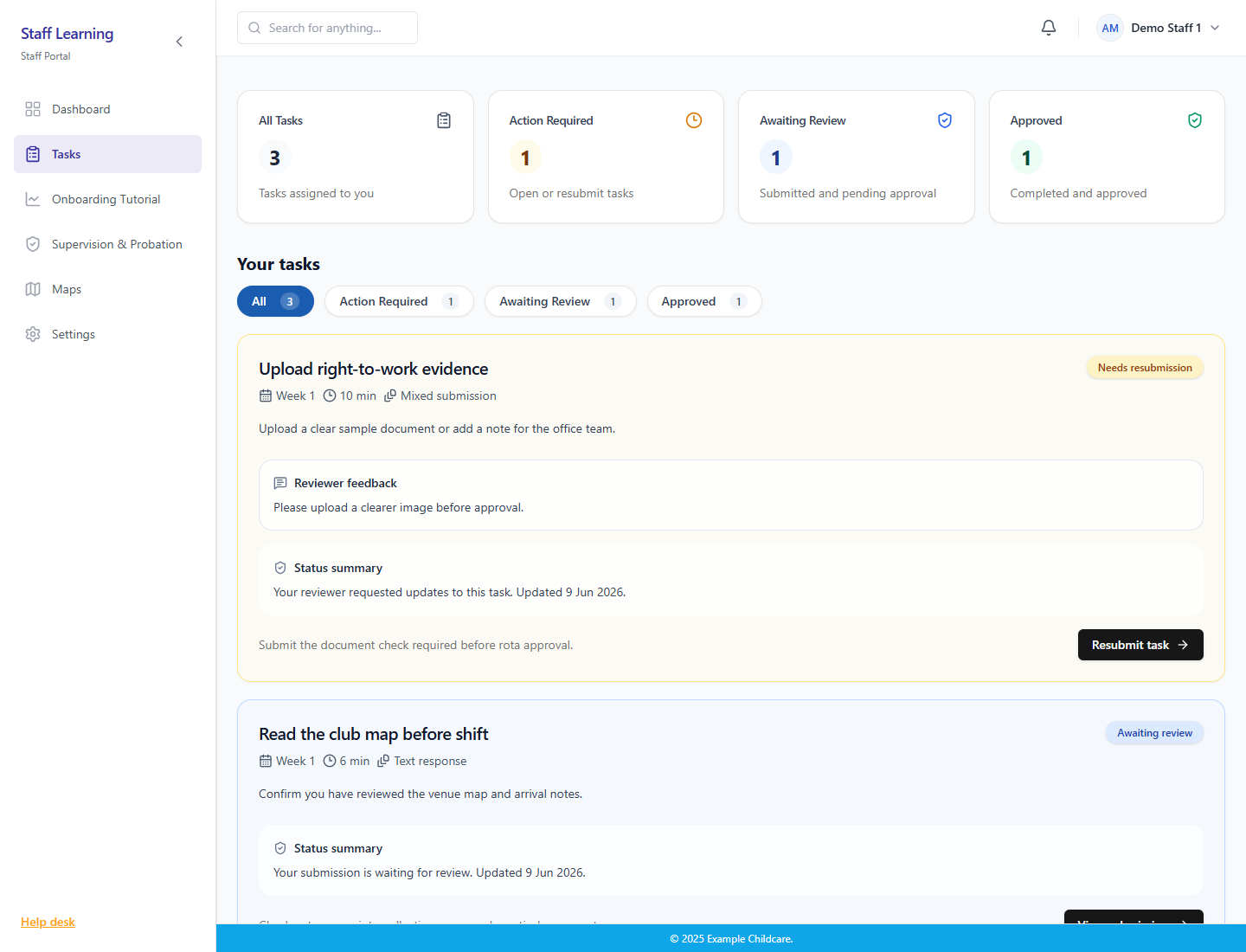
Sample screen · Demo data
The task inbox brings together evidence requests, reviewer feedback and approval status.
View full screen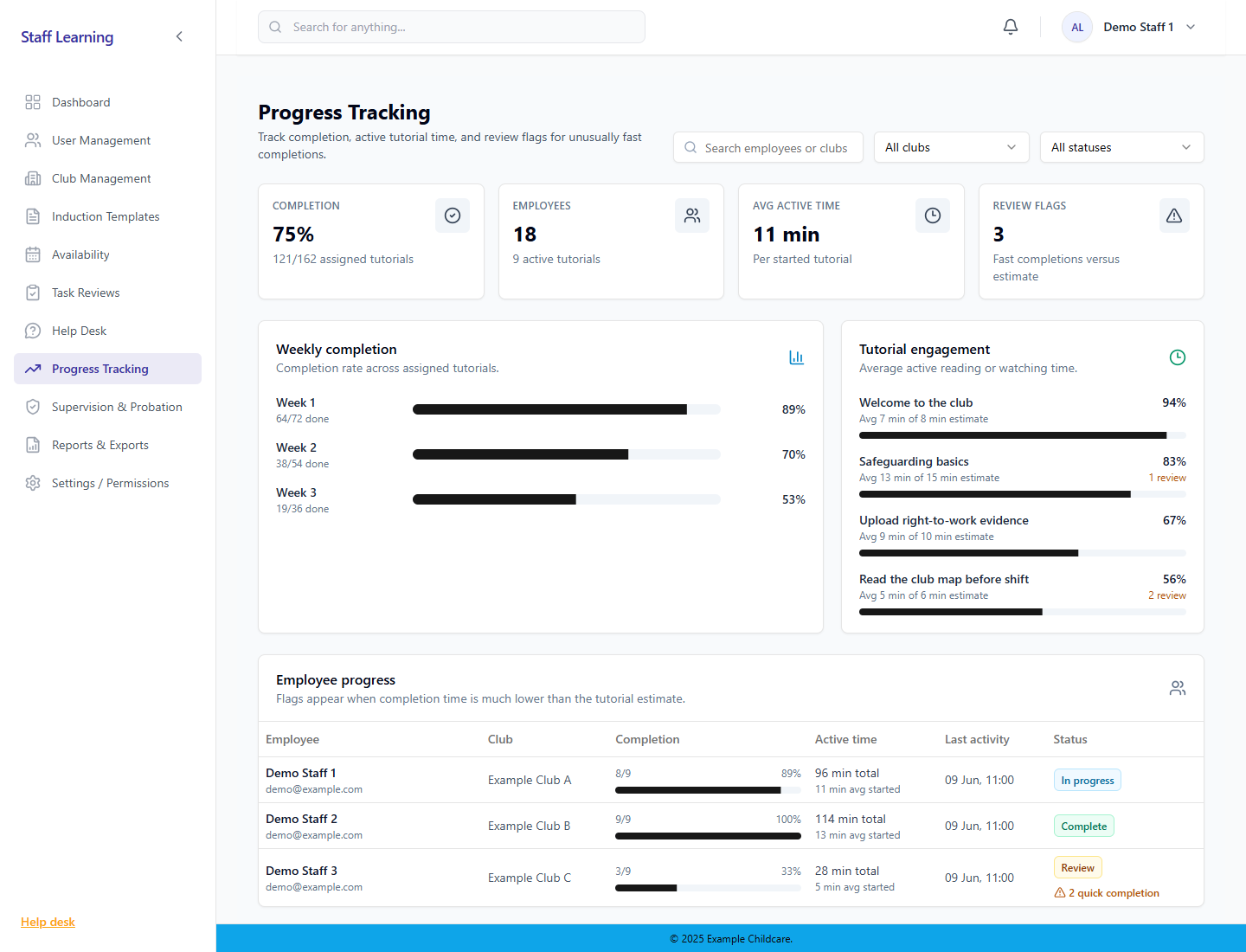
Sample screen · Demo data
Admin views show completion, active time, review flags, and who still needs support before working independently.
View full screen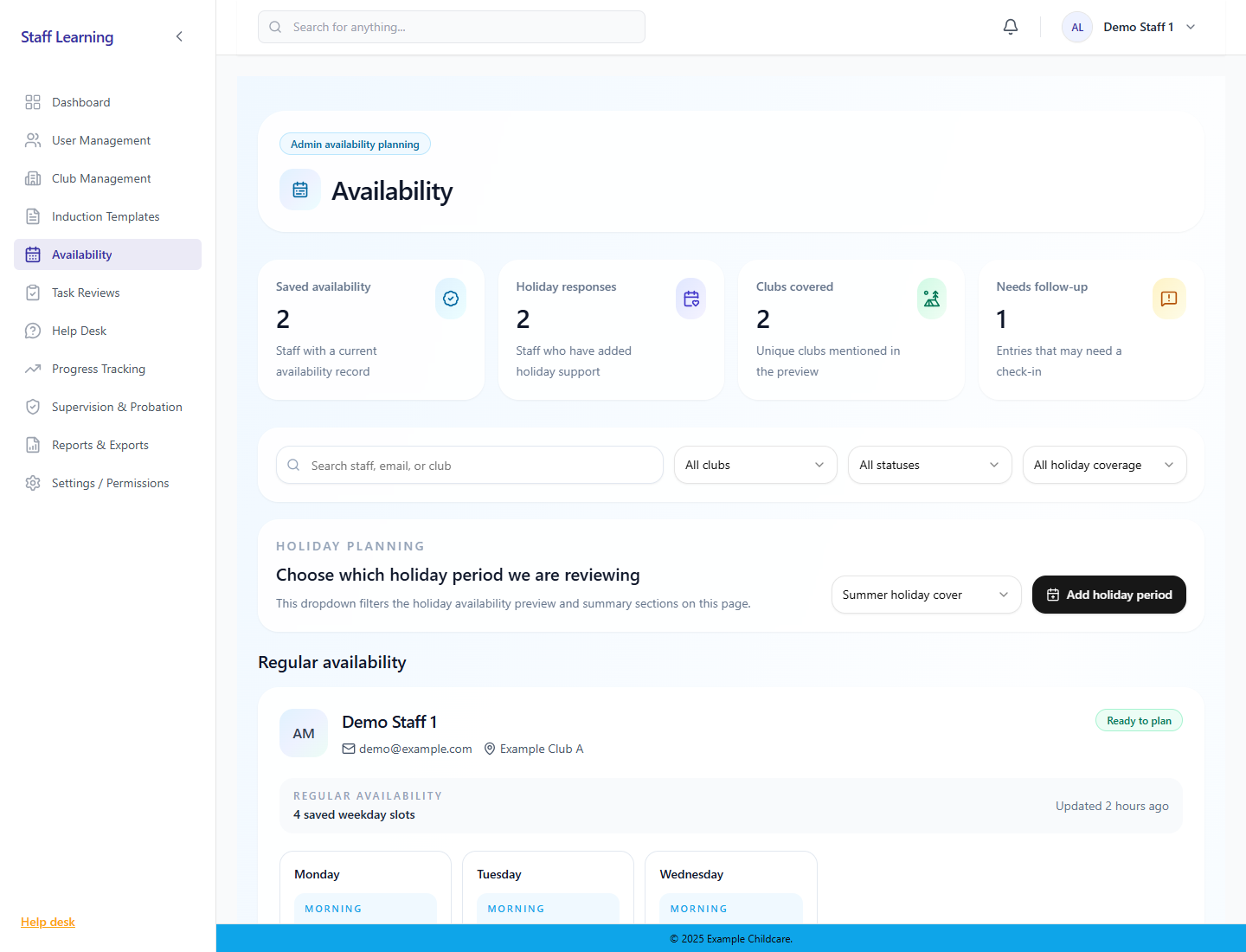
Sample screen · Demo data
Managers can review staff availability and holiday cover in a structured planning view.
View full screenWe can show you what we've built and talk through how you currently manage things. It's a chance to see whether a similar approach could be useful for your team.